
Send Mobile Recharge to the Philippines from Norway
See Available Load & Data Options
Enter a Philippine mobile number—yours or someone else’s.
We’ll show available top-ups and prices.
Included with every top-up
A person in Norway can purchase mobile recharge online for an active Philippine prepaid number in a few browser steps. Enter the recipient's number, compare currently compatible prepaid options, review the total in USD, and pay using an eligible card or PayPal option shown at checkout. PinoyLoads has specialised in Philippine mobile products since 2013 and requires no registration, KYC, or account creation.
To send mobile recharge to the Philippines from Norway, choose regular load, a promo, or a direct Data Bundle for the destination number. The sender does not need GCash, Maya, a Philippine bank account, a Philippine SIM, or access to the recipient's telco app. See the broader send mobile recharge to the Philippines overview for general options.
How to Send Mobile Recharge to the Philippines from Norway
The checkout is browser-based and takes a few minutes:
- Enter the recipient's complete Philippine mobile number — use the 11-digit local format starting with
09or the international+63format. - Choose a compatible product — select an available regular-load amount, a registered promo, or a direct Data Bundle suited to the recipient's needs.
- Review the order summary — confirm the destination number, selected product, and total price in USD before proceeding to payment.
- Pay and follow updates — use an eligible checkout option, then monitor PinoyLoads email notifications and the real-time order-status page.
The entered number is used to show currently compatible products, so the sender can choose from the catalogue presented for that destination. Delivery is normally completed within a few minutes after confirmed payment.
Paying in USD from a Norwegian NOK Account
PinoyLoads displays and charges the checkout total in USD, not NOK. The sender's Norwegian card issuer and its card network may convert the USD transaction into NOK at their own exchange rate. The final NOK amount can include an issuer-controlled conversion rate or a foreign-currency charge, so reviewing the exact USD total before payment is important. PinoyLoads does not control the issuer's exchange rate, NOK conversion, or any issuer-side fee.
Norwegian-issued credit cards and debit cards can be submitted when an eligible card option appears at checkout, subject to individual card approval, available balance, and issuer rules. The sender should consult the issuer's current currency terms when the final NOK amount matters. For more on using a credit card, see Philippine mobile recharge with a credit card. Debit-card holders can review Philippine mobile recharge with a debit card for card-specific details.
What your card issuer controls
The card issuer decides the exchange rate applied during USD-to-NOK conversion and whether a foreign-currency fee is added. These terms vary by bank and card product, so the sender should check the issuer's current pricing before confirming a purchase. The exact NOK charged to the account may differ from a simple mid-market calculation.
BankID, 3D Secure, and bank-app approval
Norway participates in the EEA payment framework, where Strong Customer Authentication can apply to online card payments. The authentication layer is commonly branded Visa Secure or Mastercard Identity Check. When the issuer requests confirmation, the sender may see a BankID prompt, a banking-app approval, a push notification, a passcode, or another issuer-controlled method.
BankID is an identity and authentication service — it is not a payment wallet and does not itself purchase mobile recharge. Not every checkout produces a BankID or 3D Secure challenge; exemptions and issuer-specific variations exist. A bank decline occurs during payment authorisation and is separate from Philippine telecom delivery.
Norwegian Cards, Vipps, PayPal, Revolut, and Wise
DNB, SpareBank 1, Nordea, Sbanken, and Bank Norwegian
An eligible Visa or Mastercard issued by DNB, SpareBank 1, Nordea Norway, Sbanken, or Bank Norwegian may be submitted when the corresponding card option appears at checkout. Approval remains subject to the individual card, available balance, issuer rules, card settings, merchant eligibility, and any requested authentication.
Some Norwegian issuers expose controls for online shopping, international use, or geographic regions — the exact controls and names vary by bank and card. The sender should follow the issuer's current app or online-banking instructions rather than rely on a universal checklist. These institutions are examples of Norwegian issuers; none are PinoyLoads partners.
Norwegian terminology may help local readers: mobilpåfyll (mobile top-up), kontantkort (prepaid SIM), and mobildata (mobile data) are common terms, though the checkout itself is in English and USD.
Vipps and BankID are not the same thing
Vipps is a Norwegian and Nordic payment service distinct from BankID. Vipps is not a supplied PinoyLoads checkout method for this page, and it cannot transfer Telenor, Telia, or ice credit into a Philippine SIM. The sender should use only the eligible payment options actually displayed at PinoyLoads checkout.
PayPal, Revolut, and Wise at an international checkout
PayPal may appear as an eligible checkout option. PayPal controls its own funding-source approval and currency-conversion behaviour. Card fields or other PayPal-provided payment elements may appear directly within the checkout experience. The flow can vary by customer and checkout eligibility, so the sender should follow the sign-in or card-entry options presented. For the full PayPal process, see send load to the Philippines with PayPal.
Revolut and Wise cards may function as ordinary online card options, subject to provider and checkout approval. Current provider terms determine fees, conversion rates, plan limits, and authorisation, so their cost and availability can differ from a Norwegian bank-issued card.
| What the sender has | Its role at checkout | What to check |
|---|---|---|
| Norwegian bank-issued Visa or Mastercard | Use when an eligible card option appears; issuer converts USD to NOK | Issuer's exchange rate, any foreign-currency fee, available balance, and card settings for online or international use |
| Revolut or Wise card | Treated as an eligible online card when supported; provider controls conversion | Provider's current exchange rate, plan limits, and approval rules |
| PayPal when shown at checkout | Use only when the PayPal option is displayed; PayPal controls funding source and conversion | Follow the PayPal flow shown, confirm the selected funding source, and review PayPal's conversion terms |
| Vipps | Not a supplied PinoyLoads checkout method; cannot transfer Norwegian carrier balance to a Philippine SIM | Vipps cannot be used to fund a Philippine mobile recharge through PinoyLoads |
| Telenor, Telia, or ice prepaid balance | Cannot be converted into Philippine carrier credit | Balance is locked to the Norwegian operator; a new retail purchase with a financial payment method is required |
Regular Load, Promo, or Data Bundle?
Philippine prepaid products come in several forms. Understanding the differences helps the sender choose the right option for the recipient.
Regular load
Regular load is flexible prepaid credit held in the recipient's mobile balance. The recipient can use it according to carrier rules — for pay-per-use calls, texts, data, or to register a compatible promo later. Regular load can support SIM validity under current carrier rules, though no product guarantees that a SIM can never expire.
Promo load and registered packages
Promo load is restricted promotional credit. It is not automatically an activated internet package — the recipient may still need to register the promo with the carrier. A registered package contains defined data, calls, texts, app allocations, or a set validity period.
Direct Data Bundles
A direct Data Bundle is a compatible package applied directly to the recipient's active prepaid account. This can reduce the need for the recipient to register a promo manually. However, a Data Bundle does not automatically extend SIM validity, reset load validity, prevent SIM expiry, or replace regular load. The better product depends on the recipient's needs and carrier compatibility — neither type is universally superior.
For a small practical starting point, a $5 Data Bundle can cover light messaging and app use, though the sender should compare currently available options based on the recipient's actual needs. See how much load to send to the Philippines for guidance on choosing an amount and send mobile data to the Philippines for data-specific options.
What Mobile Recharge Should You Buy for the Recipient?
The right product depends on what the recipient actually needs, not on picking the largest denomination available. The table provides practical starting points; for frequent app-based communication, compare the current packages against the apps and services the recipient uses most.
| Recipient need | Better starting product type | What to confirm |
|---|---|---|
| Messages and light app access | Small compatible Data Bundle | Enough open-access data for the recipient's messaging apps |
| Several video calls | Suitable open-access data package | Data allocation covers expected call duration and quality |
| Ordinary calls and texts | Regular load or package with call/text inclusions | Whether the recipient needs pay-per-use flexibility or a bundled offer |
| Emergency flexibility | Regular load or currently compatible package | The recipient can apply the balance to whichever service is most urgent |
| GOMO user | Compatible GOMO package | Ordinary Globe regular load does not replace a GOMO package |
| Pocket WiFi or home connectivity | Device-specific compatible product | Account number and product match the device, not a standard mobile SIM |
Philippine Networks and the Correct +63 Number
Philippine mobile numbers are written locally as 11 digits beginning with 09. In international format, the leading 0 is replaced with +63 — for example, 0917... becomes +63 917.... Norway's country code is +47, so the destination field needs the recipient's Philippine number, not the sender's Norwegian number.
Mobile Number Portability (MNP) allows a Philippine subscriber to retain a number after switching networks. A visible prefix can suggest the original network but may not reflect the current one. The sender should confirm the number and rely on the compatible product catalogue shown for the entered destination.
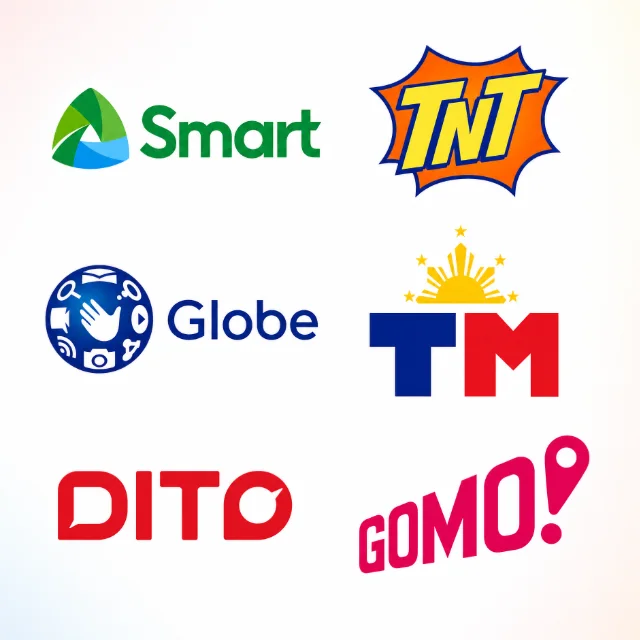
Globe and TM
Globe and TM belong to the same ecosystem but maintain distinct product catalogues. A product compatible with Globe may not be identical to one designed for TM.
Smart and TNT
Smart and TNT also share an ecosystem with separate catalogues. Smart Bro and prepaid-WiFi products require compatible account numbers and device-specific packages — an ordinary mobile package should not be assumed to fit a WiFi device.
DITO and GOMO
DITO operates its own product catalogue with its own compatibility rules. GOMO is a package-first brand using Globe network infrastructure, but it does not rely on ordinary open-ended regular load in the same way as Globe. The sender must choose a compatible GOMO package when available.
Enter +63, not +47
The destination field requires a Philippine number in +63 format, not the sender's Norwegian +47 number. A dual-SIM recipient should confirm which SIM actually needs the recharge. For a full list of recognised prefixes, see Philippine mobile number prefixes.
Why Telenor, Telia, or ice Balance Cannot Become Philippine Load
Prepaid credit held with a Norwegian operator — whether Telenor Norway, Telia Norway, or ice — belongs to that operator's own account system. It cannot be converted directly into regular load or a Data Bundle on an unrelated Globe, TM, Smart, TNT, DITO, or GOMO account.
Norwegian mobile balance and Philippine mobile balance are separate products in separate carrier systems. Buying Philippine mobile recharge is a new retail purchase funded through an eligible financial payment method, not a transfer of existing Norwegian carrier credit.
No GCash, Maya, or Philippine Bank Account Needed
The Norway-based sender uses only an eligible payment option shown at PinoyLoads checkout. There is no need for the sender to access or control the recipient's GCash, Maya, Philippine bank account, GlobeOne app, Smart App, DITO App, or GOMO app.
The recharge goes to the compatible prepaid destination number — it does not fund, create, or manage a Philippine e-wallet. This keeps the process straightforward for a sender who may know the recipient's number but does not operate Philippine financial apps.
Mobile Recharge Is Not a Money Transfer
Mobile recharge purchases a defined telecommunications product: prepaid credit, data, calls, texts, or a package depending on the selection. A remittance sends flexible money to a wallet, bank account, or cash channel for expenses like food, rent, or utilities.
Recharge is the right choice when the immediate need is connectivity. Mobile data may help the recipient access messaging, banking, e-wallet, or remittance apps, but the recharge itself is not cash — it is a purchased telecom product.
The Philippines Is Six or Seven Hours Ahead of Norway
Norway uses Central European Time (CET, UTC+1) during standard time and Central European Summer Time (CEST, UTC+2) during daylight-saving time. The Philippines uses Philippine Standard Time (UTC+8) year-round and does not observe daylight-saving time.
The Philippines is seven hours ahead of Norway during Norwegian standard time and six hours ahead during Norwegian daylight-saving time. An afternoon in Oslo can already be evening in Manila — so if the recipient's phone runs out of credit during their evening, a quick recharge from Norway can get them back online for a late-night video call or message.
Norwegian Card Declined or Recharge Not Showing?
Payment issues fall into three stages: authorisation, order processing, and telecom delivery. Use the table to identify the stage before deciding what to do next.
Always resolve the status of the original order before attempting a duplicate purchase. An alternative eligible card or PayPal may be considered only when that option is shown at checkout. For further troubleshooting, see load not received in the Philippines.
| What you see | Which stage it concerns | What to do next |
|---|---|---|
| Issuer requests BankID, bank-app, or 3D Secure confirmation | Payment authorisation | Complete the requested step before it expires; if it times out, authorisation may fail |
| Card declined before payment | Payment authorisation | Check issuer settings, available balance, and billing details; contact the issuer if the decline persists |
| Payment confirmed and order processing | Order processing | Follow PinoyLoads email updates and the real-time order-status page |
| Order delivered but no carrier SMS | Delivery confirmation | Recipient checks actual balance or active package; a missing SMS does not prove non-delivery |
| Number or product rejected | Pre-payment validation | Confirm the number is active, prepaid, correctly entered, and compatible with the selected product |
Why Use PinoyLoads from Norway?
- Philippines-focused specialist since 2013 — not a generic worldwide mobile-recharge marketplace.
- Browser checkout with no PinoyLoads registration, KYC, or sign-up required.
- Number-compatible products rather than a generic worldwide denomination list — the entered number is used to show the catalogue available for that destination.
- USD total displayed before payment so the sender knows the exact cost before confirming.
- Email receipt, processing, and delivery updates plus a real-time order-status page after payment.
- Delivery normally within a few minutes after confirmed payment, subject to carrier processing.
Conclusion
Sending mobile recharge to the Philippines from Norway takes a few browser steps: enter the recipient's Philippine number, compare currently compatible recharge options, review the USD total, and pay with an eligible card or PayPal shown at checkout. No GCash, Maya, or Philippine bank account is needed — just a valid Philippine prepaid number and an eligible payment method.
Enter the recipient's complete Philippine mobile number in the form above to view compatible options and review the total in USD before payment.
Frequently Asked Questions
+63 format, not the Norwegian +47 format. The local Philippine format starts with 09, which becomes +63 9 in international form. Mobile Number Portability means a prefix may indicate the original network but not the current one.