
Send Load to Philippines from Japan
See Available Load & Data Options
Enter a Philippine mobile number—yours or someone else’s.
We’ll show available top-ups and prices.
Included with every top-up
Yes, you can send load to the Philippines from Japan through PinoyLoads using PayPal or credit/debit card options shown at checkout. The service works in a browser—no app download, no GCash or Maya, no Philippine bank account, no Japanese carrier-billing workaround. Prices appear in USD before payment, and you receive email and status updates after checkout.
Send Philippine Mobile Load Online from Japan
Sending mobile load from Japan is a practical option when family in the Philippines needs urgent connectivity. A recipient may run out of data while messaging on Messenger, WhatsApp, or Viber, or need to refresh GCash, Maya, or a banking app. Others may be in a province without reliable Wi-Fi, or need to coordinate during a typhoon, brownout, or family emergency.
This matters for many Filipinos living in Japan: specified skilled workers, technical interns, caregivers, factory workers, hospitality staff, students, spouses of Japanese nationals, and long-term residents. A sender in Tokyo, Aichi, Osaka, Kanagawa, or Saitama may not need a full cash remittance every time. Sometimes the urgent need is simpler: keep a parent, child, or partner online right now.
Japan Standard Time (JST, UTC+9) is one hour ahead of Philippine Time (PHT, UTC+8), so urgent top-ups are easy to coordinate in similar waking hours. Whether you support parents in Manila, children in Cebu, or a partner in Davao, a quick browser-based reload can restore communication without the complexity of a full remittance process.
Japanese users may search for this need as フィリピン 携帯 チャージ (Philippine mobile charge), フィリピン ロード 送る (send Philippine load), or フィリピン 携帯 トップアップ (Philippine mobile top-up). The practical task is the same: send Philippine prepaid load online from Japan.
For senders looking for a broader overview, you can also send load to the Philippines through PinoyLoads across multiple source countries.
Why Mobile Load Is Different from Sending Money from Japan
Money transfer and mobile load serve different purposes. Sending cash through services like Seven Bank, SBI Remit, Kyodai Remittance, Wise, or Western Union is useful for larger monthly support or when the recipient needs physical cash. These services may involve account registration, identity or residence-card verification (My Number-style checks), transfer fees, and recipient cash-out steps.
Mobile load is different—it delivers immediate connectivity. If your family member has no data, they may not even see a remittance notification. Load helps them get back online, message you, refresh apps, and coordinate in real time.
| Remittance | Mobile Load |
|---|---|
| Sends cash to the recipient | Sends mobile credit or data directly to the phone |
| Often requires sender account and verification | No account or KYC needed for sender on PinoyLoads |
| Recipient may need to travel to cash out | Delivered directly to the prepaid SIM |
| Better for larger monthly support | Better for urgent, small top-ups |
| Can take hours or next day | Usually processed within minutes after payment |
Money transfer is for cash; mobile load is for immediate connectivity.
Can You Use Docomo, au, SoftBank, or Rakuten Mobile to Load a Philippine SIM?
No, not directly. NTT Docomo, au/KDDI, SoftBank, and Rakuten Mobile are Japanese mobile carriers. Their plans and billing apply to domestic Japanese service and select international roaming features. A Japanese carrier balance does not automatically transfer credit to Smart, Globe, TNT, TM, DITO, or GOMO in the Philippines.
You cannot text a code from a Japanese SIM to top up a Philippine prepaid number. If you want to send Philippine load from Japan, use a web checkout with PayPal or card—not carrier billing.
This distinction matters because some senders assume their Japanese phone plan includes a built-in way to support a Philippine prepaid SIM. It does not. PinoyLoads acts as a bridge: you enter the Philippine number in your browser, choose the amount or package, and pay with PayPal or card.
| Japanese Carrier | Can Load Philippine SIM Directly? |
|---|---|
| NTT Docomo | No |
| au/KDDI | No |
| SoftBank | No |
| Rakuten Mobile | No |
| PinoyLoads (browser checkout) | Yes—via PayPal or card |
Pay from Japan with PayPal or Credit/Debit Card
PinoyLoads shows prices in USD. The checkout displays the selected Philippine number, package or amount, and final payable price before you pay.
Japanese-issued cards can sometimes be declined due to:
| Possible Reason | What It Means |
|---|---|
| Issuer authentication or 3D Secure settings | The bank may require extra online payment confirmation. |
| Online/international purchase restrictions | The card may not be enabled for cross-border online payments. |
| Bank fraud-prevention filters | The issuer may temporarily block a transaction it does not recognize. |
If your card is declined, PayPal can be a convenient alternative. PinoyLoads does not promise all Japanese cards work, and no Japanese e-wallets (PayPay, LINE Pay, au PAY, konbini payments) are supported.
Use PayPal or the credit/debit card options shown at checkout. For more on card-based checkout, see Philippines mobile recharge with credit card.
Supported Philippine Networks
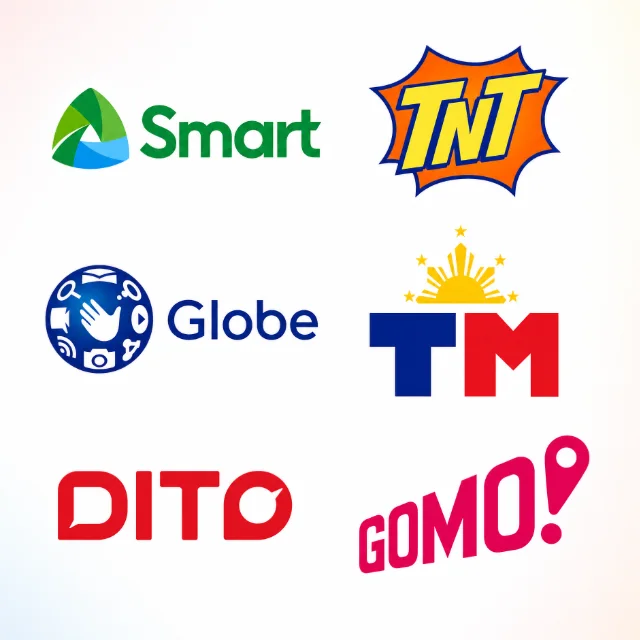
PinoyLoads supports major Philippine operators:
| Network | Related Load Page |
|---|---|
| Smart | Smart load online |
| TNT | TNT load online |
| Globe | Globe load |
| TM (Touch Mobile) | TM load |
| DITO | DITO load online |
| GOMO | GOMO load online for GOMO-specific packages |
Availability of specific packages or load amounts depends on the current checkout catalog.
GOMO Users: Choose GOMO-Specific Packages
GOMO runs on the Globe network but is not ordinary Globe Prepaid. GOMO uses a package-first model and does not accept standard Globe regular load. If you send regular Globe load to a GOMO number, the recipient may not receive it.
For GOMO, select a GOMO-specific package. See GOMO load online for details.
You can also send mobile recharge to the Philippines using the same browser-based checkout.
Regular Load, Data Bundles, and Philippine SIM Validity
Understanding the difference between regular load and data bundles helps you choose what to send.
Regular load is raw prepaid credit. It sits in the recipient's balance and can be used for pay-per-use calls, texts, or to register promos manually. Regular load is the safer concept when your goal is maintaining a Philippine prepaid SIM according to carrier validity rules.
Data bundles and promos provide specific allocations—GB of data, call minutes, or text inclusions—and are designed for connectivity: messaging, video calls, app use, online classes, or social media.
Do not assume data bundles extend SIM validity. A data promo helps the recipient get online, while regular load is the safer choice when the goal is SIM validity according to carrier rules.
If your family member relies on their Philippine number for OTPs from GCash, Maya, BDO, BPI, UnionBank, or other apps, keeping the SIM active matters. A SIM that loses service can break OTP-based logins and account recovery. For more context, see how to keep a Philippine SIM active abroad or troubleshoot when Philippine bank OTP is not working abroad.
| Regular Load | Data Bundle/Promo |
|---|---|
| Raw prepaid credit in the wallet | Pre-configured package with fixed allocations |
| Used for pay-per-use calls/texts or manual promo registration | Used for messaging, video calls, app refresh, online work |
| Safer choice for SIM validity according to carrier rules | Main tool for connectivity |
| Does not automatically include data | Includes data, often with validity period |
How to Send Load to the Philippines from Japan
- Enter the Philippine mobile number – Type the recipient's prepaid number starting with the correct prefix (Smart, Globe, TNT, TM, DITO, or GOMO).
- Choose the amount or package – Select from the options shown at checkout.
- Review your order – Confirm the selected number, package or amount, and final USD price.
- Pay online – Use PayPal or the credit/debit card options shown.
- Follow email and status updates – PinoyLoads sends confirmation and delivery status by email.
There is no account to create, no app to install, and no KYC to submit.
Common Problems When Sending Load from Japan
| Problem | What to Do |
|---|---|
| Japanese card declined or 3D Secure issue | If your card is declined, the issuer may have flagged the transaction or your card may not be set up for online/3D Secure purchases. Try PayPal or another payment method shown at checkout. |
| Wrong Philippine number | Double-check the number before you pay. Load sent to an incorrect number may not be recoverable. |
| Wrong operator or GOMO confusion | Make sure you select the correct product. GOMO requires GOMO-specific packages. Sending ordinary Globe load to a GOMO SIM may not work. |
| Recipient has no data after successful load | Restart the phone, toggle airplane mode, and check APN settings or the carrier's registration app. |
| Inactive, expired, or unregistered Philippine SIM | If the recipient's SIM is expired, deactivated, or unregistered, the load may fail. Under the Philippine SIM Registration Act, numbers must be registered to stay active. PinoyLoads cannot guarantee delivery to an inactive number. |
| Remittance sent but recipient cannot see it | If you sent money via a remittance app but the recipient cannot see the notification, they may need mobile data to refresh their GCash, Maya, or banking app. For related issues, see Remitly to GCash delay. |
Why Use PinoyLoads from Japan
PinoyLoads is a Philippines-focused online loading service, not a generic global marketplace. It has served customers since 2013.
| Advantage | What It Means |
|---|---|
| Browser checkout | No app to install |
| No registration or KYC | No account required for the sender |
| No GCash, Maya, or Philippine bank account needed | Payment is via PayPal or card |
| USD order summary | The checkout shows the final payable price before payment |
| Email and status updates | You receive confirmation and delivery status |
| Carrier auto-detect | The system identifies the correct operator when you enter the number |
If you want a fast, simple route to send Philippine load from Japan—without remittance setup or carrier confusion—PinoyLoads is built for that exact need.
FAQ
From Japan, you can send load to the Philippines with PayPal or card in a few clicks—no app, no account, no hassle. PinoyLoads has helped overseas Filipinos and their families stay connected since 2013.