
Send Load to Philippines from India
See Available Load & Data Options
Enter a Philippine mobile number—yours or someone else’s.
We’ll show available top-ups and prices.
Included with every top-up
Yes — you can send mobile load to a Philippine prepaid number from India online through PinoyLoads. The checkout works in your browser: enter the Philippine destination mobile number, choose a load amount or data bundle, review the order summary in USD, and pay with PayPal or credit/debit card. There is no account registration, no KYC, no app download, no GCash or Maya required, and no need for a Philippine bank account or Indian carrier workaround. You receive email and status updates after payment, and delivery is usually within a few minutes.
Send Philippine Mobile Load Online from India
Someone in the Philippines suddenly needs mobile data — and you are sitting in Delhi, Mumbai, Chennai, Bengaluru, Hyderabad, Pune, Kolkata, or Ahmedabad. Maybe your child is studying in Manila and ran out of data before an online class. Maybe a Filipino contractor or virtual assistant in Cebu cannot reply because their prepaid balance hit zero. Maybe your partner in Davao needs to refresh GCash or reply on Messenger, WhatsApp, or Viber.
The Philippines is 2 hours and 30 minutes ahead of India (IST is UTC+5:30; Philippine Time is UTC+8), so there is enough overlap in waking hours to coordinate urgent top-ups the same day.
Mobile load solves a specific problem: immediate connectivity. When the person you are helping needs data or credit right now — not in two hours, not after a bank clears a transfer — a web checkout that sends load directly to their prepaid SIM is the practical tool.
If you need to send load to the Philippines or send mobile recharge to the Philippines from India, PinoyLoads is built for exactly that.
Why Mobile Load Is Different from Sending Money from India
Sending money from India to the Philippines serves a clear purpose: cash, monthly family support, paying bills, or funding a bank or e-wallet account. Services like Western Union, Wise, Xoom, MoneyGram, Remitly, and Ria are designed for that. Indian banks such as SBI, HDFC, ICICI, Axis, and Kotak handle outward remittances under the RBI's Liberalised Remittance Scheme (LRS), which may involve PAN verification, Form A2, purpose codes, TCS (tax collected at source), exchange-rate checks, and recipient processing.
Mobile load is a different tool. It is an online purchase of a telecom product — prepaid credit or a data bundle — sent directly to a Philippine SIM. There is no remittance paperwork, no purpose code, no recipient bank setup, and no waiting for funds to clear across systems.
| Bank Remittance / Money Transfer | Mobile Load via PinoyLoads | |
|---|---|---|
| Best for | Cash transfers, monthly support, bills | Immediate connectivity: data, calls, texts |
| Paperwork | PAN, Form A2, purpose codes, LRS | None for the sender |
| Recipient setup | Bank account, GCash, Maya, or cash pickup | Just a working Philippine prepaid number |
| Speed | Minutes to days depending on service | Usually within a few minutes |
| Amount | Larger transfers | Small, targeted telecom top-ups |
The takeaway: money transfer is for cash; mobile load is for immediate connectivity. If the person in the Philippines needs to get online right now — to message you, refresh an app, or attend a class — sending a data bundle or regular load is faster than routing a bank transfer. For a broader look at money transfer options, see our guide on the best way to send money to the Philippines.
Can You Use UPI, Paytm, PhonePe, or Google Pay India to Load a Philippine SIM?
Not directly through PinoyLoads. UPI is the dominant domestic digital payment rail in India, and many users naturally expect Paytm, PhonePe, Google Pay India, BHIM, or RuPay/UPI flows to work for every online purchase. But these are Indian domestic payment systems — they do not directly route online telecom top-ups to Philippine carriers such as Smart, Globe, TNT, TM, DITO, or GOMO through PinoyLoads.
PinoyLoads uses PayPal or credit/debit card options shown at checkout. The checkout displays the destination mobile number, the package or amount you selected, and the total price in USD. That is the payment path — no UPI flow, no Paytm wallet, no PhonePe transfer.
If you came here searching for "UPI Philippines recharge," "Paytm Philippines," "PhonePe international recharge," or "Google Pay Philippines," the honest answer is that those rails are built for domestic Indian transactions. To top up a Philippine prepaid SIM from India, use the card or PayPal option at checkout.
Can Jio, Airtel, Vi, or BSNL Transfer Balance to a Philippine Number?
No. Indian mobile carrier balances and USSD balance-transfer systems are domestic and intra-network. A Jio, Airtel, Vi, or BSNL prepaid balance cannot be injected into a Smart, Globe, TNT, TM, DITO, or GOMO SIM.
Indian carrier apps such as MyJio or Airtel Thanks are designed for Indian numbers and Indian services — they do not top up Philippine prepaid mobiles. Indian roaming packages help your Indian SIM work when you travel abroad; they do not send credit to a Philippine SIM.
To send mobile load to the Philippines from India, you need a web checkout that supports Philippine operators. PinoyLoads is that bridge: enter the Philippine number, choose a product, pay with PayPal or card, and the load is processed to the carrier.
| What You Might Try | Does It Load a Philippine SIM? |
|---|---|
| Jio prepaid balance / MyJio app | No — Indian domestic only |
| Airtel balance / Airtel Thanks | No — Indian domestic only |
| Vi (Vodafone Idea) balance | No — Indian domestic only |
| BSNL prepaid balance | No — Indian domestic only |
| UPI / Paytm / PhonePe / GPay India | No — Indian domestic rails |
| PinoyLoads web checkout (PayPal/card) | Yes — routes to Philippine carriers |
Pay from India with PayPal or Credit/Debit Card
PinoyLoads shows prices in USD. The checkout displays the destination mobile number, the package or amount you chose, and the total price in USD. Your bank or PayPal may convert the charge to INR on your statement — PinoyLoads does not process INR directly.
Indian-issued cards can sometimes be declined on international websites. Common reasons include:
- International online/e-commerce usage is disabled. Under RBI card-control rules, newly issued or reissued cards often have international and online transaction capabilities switched off by default.
- 3D Secure or bank OTP fails. The bank's authentication step may time out or reject the transaction.
- Daily international transaction limits are low. Some cards have separate caps for overseas online purchases.
- Issuer risk checks block the payment. The bank may flag an unfamiliar international merchant.
If your card is declined, check whether international online or e-commerce usage is enabled in your bank app. Here are quick paths for common Indian banks:
- HDFC Bank: NetBanking or mobile app → Cards → Manage card usage → Enable international online transactions.
- SBI: YONO app or NetBanking → Card services → Manage card → International and e-commerce transactions.
- ICICI Bank: iMobile Pay or internet banking → Card settings → Enable international online usage.
- Axis Bank: Mobile app or internet banking → Card manage usage → International e-commerce option.
PayPal can be a convenient alternative if card checkout is inconvenient or keeps declining, as long as your PayPal account and funding source are usable for international purchases. You can send load to the Philippines with PayPal or use Philippine mobile recharge via credit card — whichever works better with your Indian payment setup.
Do not assume every Indian card will work on the first try. If one method fails, try the other or check your bank's international settings first.
Supported Philippine Networks
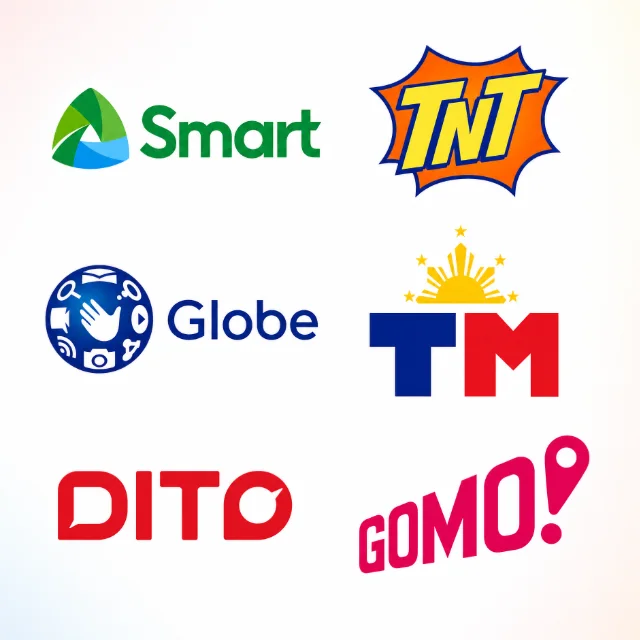
PinoyLoads supports the major Philippine prepaid operators:
- Smart — one of the largest Philippine carriers
- TNT (Talk 'N Text) — Smart's budget-friendly prepaid brand
- Globe — the other major Philippine telco
- TM (Touch Mobile) — Globe's value prepaid brand
- DITO — the Philippines' third major telco
- GOMO — a digital-first brand on Globe infrastructure
Product availability depends on the current checkout catalog and the operator or package type. Not every load amount or promo may be available for every carrier at all times.
Important GOMO caveat: GOMO runs on Globe infrastructure, but it is not ordinary Globe Prepaid. GOMO is package-first and requires GOMO-specific packages. Do not assume that ordinary Globe regular load works for a GOMO number — it does not. If the recipient has a GOMO SIM, choose a GOMO-specific product at checkout. Learn more about GOMO load options.
You can also send mobile data to the Philippines across these networks when the recipient needs usable data rather than raw prepaid credit.
Regular Load, Data Bundles, and Philippine SIM Validity
Understanding the difference between regular load and data bundles matters — especially if your goal is keeping a Philippine prepaid SIM active.
Regular load is raw prepaid mobile credit. It is flexible: the recipient can use it for pay-per-use calls, texts, or data, or manually register for a promo depending on carrier rules. Regular load is the safer concept when the goal is maintaining a Philippine prepaid SIM according to carrier rules. Philippine regular prepaid load carries a validity period under carrier and regulatory guidelines.
Data bundles and promos deliver specific connectivity allocations — data for Messenger, WhatsApp, Viber, Facebook, video calls, GCash or Maya refresh, online classes, and work calls. A $5 Data Bundle can be practical when the recipient needs usable data right now.
| Regular Load | Data Bundle / Promo | |
|---|---|---|
| What it is | Raw prepaid mobile credit | Pre-configured connectivity package |
| Flexibility | Pay-per-use calls, texts, data, or manual promo registration | Fixed data/call allocations |
| Best for | SIM validity, OTP access, flexible use | Immediate data: messaging, video, apps |
| SIM validity | Safer option per carrier rules | Not a guaranteed SIM-validity tool |
Do not confuse the two. A data bundle does not extend SIM validity, reset load validity, prevent SIM expiry, or replace regular load. If keeping the SIM active is the priority, regular load is the more appropriate choice.
Philippine SIMs must also be registered under the SIM Registration Act (RA 11934). An inactive, expired, or unregistered SIM may fail to receive or use load. For more on keeping a Philippine SIM active while abroad, see our guide on how to keep a Philippine SIM active overseas.
Why a Small Data Bundle Can Matter After a Remittance
GCash and Maya are the two dominant Philippine digital wallets. BDO, BPI, UnionBank, and other Philippine banking apps are widely used for everyday finance. All of these need live mobile data to open, refresh, and show balances or transaction status.
Here is the scenario: you send money from India to the Philippines through Remitly, Wise, Xoom, or another service. The funds arrive. But the recipient has no mobile data — they cannot open GCash, Maya, or their banking app to see the notification, check the balance, or act on it. If the transfer was urgent, that delay defeats the purpose.
A small data bundle — even a $5 Data Bundle — can restore the recipient's ability to check a larger remittance, confirm receipt, or communicate with you. This is not about every OTP requiring data; it is about the practical reality that wallet and banking apps need connectivity to function.
If you are dealing with a remittance delay, our article on Remitly GCash delay and how to fix it covers common issues. And if a Philippine bank OTP is not arriving while abroad, see our troubleshooting guide for Philippine bank OTP not working abroad.
How to Send Load to the Philippines from India
Sending load from India takes about a minute:
- Enter the Philippine destination mobile number — double-check the digits before proceeding.
- Choose the amount or package shown at checkout — regular load, data bundle, or promo depending on what the recipient needs.
- Review your order: destination mobile number, package or amount, and total price in USD.
- Pay with PayPal or credit/debit card options shown at checkout.
- Follow email and status updates — PinoyLoads sends a receipt and delivery confirmation. An order/status page is also available after payment.
No account. No app. No KYC. No Philippine bank setup. Just a browser and a payment method that works for international online purchases.
Common Problems When Sending Load from India
| Problem | Likely Cause | What to Do |
|---|---|---|
| Indian card declined | International online/e-commerce usage may be disabled | Enable international online transactions in your bank app (HDFC, SBI YONO, ICICI iMobile, Axis), or try PayPal |
| 3D Secure or bank OTP fails | Bank authentication timed out or was rejected | Retry, complete the OTP promptly, or check issuer settings |
| Expected to pay via UPI / Paytm / PhonePe / GPay India | These are Indian domestic rails, not international top-up routes | Use PayPal or credit/debit card at checkout |
| Tried Jio / Airtel / Vi / BSNL balance transfer | Indian carrier balances cannot top up Philippine SIMs | Use PinoyLoads web checkout instead |
| Wrong Philippine number entered | Typo or outdated number | Double-check the number before payment; contact support if load was sent to the wrong number |
| Load sent to a GOMO number using Globe regular load | GOMO requires GOMO-specific packages | Choose GOMO products for GOMO numbers |
| SIM is inactive, expired, or unregistered | Philippine SIM Registration Act (RA 11934) requires registration | Ask the recipient to verify SIM status before you load |
| Recipient loaded but cannot use data | Phone needs to register on the network | Restart the phone, toggle airplane mode, or check APN settings and carrier app |
| Remittance arrived but recipient cannot see it | Recipient has no data to refresh GCash, Maya, or banking app | Send a small data bundle so they can open their app |
Why Use PinoyLoads from India
PinoyLoads is not a generic global top-up marketplace with a country-name page for the Philippines. It is a Philippines-focused specialist operating since 2013, built around the realities of Philippine prepaid telecom:
- Browser checkout — no app to download, works on any device
- No account or sign-up required for the sender
- No KYC for the sender — no documents, no verification queue
- No GCash, Maya, or Philippine bank account needed on the sender's side
- No UPI workaround or Indian carrier menu guessing — just PayPal or card
- USD order summary before payment — you see the destination mobile number, package, and total before you confirm
- Email and status updates after payment, plus an order/status page
- 24/7 support and chat if you run into issues
- Built for Philippine telco realities — carrier auto-detect, GOMO awareness, regular load vs data bundle guidance
Whether you are an Indian parent supporting a student in the Philippines, an employer keeping a Filipino contractor online, or someone in a mixed India–Philippines family, the checkout is designed to be straightforward. No remittance paperwork, no carrier-balance myths, no Philippine banking setup.
Conclusion
Sending load from India to the Philippines should not require a bank-remittance workflow, a UPI workaround, or a Jio/Airtel balance-transfer guess. If the recipient needs mobile credit or data now, PinoyLoads gives you a direct browser checkout built for Philippine prepaid numbers.
Enter the Philippine destination mobile number, choose the load amount or data bundle shown at checkout, confirm the total price in USD, and pay online with PayPal or credit/debit card options shown. PinoyLoads sends email/status updates so you can follow the order after payment. You can send load to the Philippines now.