
Send Load to Philippines from Hong Kong
See Available Load & Data Options
Enter a Philippine mobile number—yours or someone else’s.
We’ll show available top-ups and prices.
Included with every top-up
Yes — you can send Philippine mobile load from Hong Kong online through PinoyLoads, using PayPal or the credit/debit card options shown at checkout. There is no account registration, no KYC, no app download, no GCash or Maya required, and no Philippine bank account needed. The checkout displays the destination mobile number, package or amount, and the total price in USD before payment, and you receive email and status updates after placing your order. PinoyLoads has served customers since 2013.
How to Send Load from Hong Kong to the Philippines
The process works through a standard browser — no special app, no carrier menu, no remittance counter visit.
- Enter the Philippine mobile number of the person you want to load.
- Choose the amount or package shown at checkout.
- Review your order: destination mobile number, package or amount, and the total price in USD.
- Pay with PayPal or credit/debit card options shown at checkout.
- Follow email and status updates — load is usually delivered within a few minutes after payment confirmation.
If you want the broader country-level guide first, see how to send load to the Philippines. For the same checkout flow described as international mobile recharge, see send mobile recharge to the Philippines.
Why Sending Mobile Load from Hong Kong Matters Right Now
Hong Kong and the Philippines share the same time zone — both are UTC+8. When a family member in the Philippines runs out of data during school, work, or an emergency, you are awake in the same window and can help immediately.
Common scenarios where a fast top-up solves a real problem:
- Messenger, WhatsApp, or Viber — your family cannot message or video-call you without mobile data.
- GCash, Maya, or banking apps — the recipient may need data to refresh a balance, confirm a remittance has arrived, or complete a transaction.
- Online classes and work communication — students and remote workers lose access the moment data runs out.
- OTP coordination — if you or a family member needs a one-time password from GCash, Maya, BDO, BPI, UnionBank, or another app, the phone must have connectivity.
- Typhoons, brownouts, or family emergencies — when landline power or Wi-Fi fails, mobile data is often the last working link.
Some Hong Kong users search for this as 菲律賓 手機 充值 or 菲律賓 sim 充值, but the practical task is the same: sending Philippine mobile load online.
Filipino Domestic Helpers, Sunday Off, and World-Wide House
Over 200,000 Filipinos live in Hong Kong, making them the largest ethnic minority group in the city. Many are foreign domestic helpers who work six days a week and have one statutory day off, commonly Sunday.
On Sundays, areas like Central, World-Wide House, Statue Square, and Chater Road become gathering points. World-Wide House in particular is known for Filipino community services — remittance centers, telecom shops, balikbayan box services, food vendors, and community errands.
If the only need is a small mobile top-up for a family member in the Philippines, spending part of a precious day off queuing at a remittance counter or navigating a carrier menu is unnecessary. A browser checkout from a phone takes minutes and keeps the rest of the day free.
Mobile Load vs. Sending Money from Hong Kong: What Is the Difference?
Remittance and mobile load serve different purposes. Understanding the distinction helps you pick the right tool.
| Remittance / Cash Transfer | Mobile Load | |
|---|---|---|
| Purpose | Send cash for monthly support, bills, savings, or pickup | Send prepaid credit or data for immediate phone use |
| Typical services | Western Union, Wise, WorldRemit, Remitly, AlipayHK remittance, TNG Wallet | PinoyLoads (browser checkout) |
| Setup involved | Account creation, identity verification, KYC tiers, app setup | No account or sign-up needed |
| Speed to recipient | Minutes to hours depending on method; cash pickup may require a trip | Usually within a few minutes after payment |
| Best for | Larger transfers, rent, tuition, cash emergencies | Messenger, WhatsApp, Viber, GCash/Maya refresh, OTP coordination, school/work |
Remittance services are designed for cash transfers and may involve identity checks, exchange-rate comparison, transfer tracking, and recipient steps. When the need is only a small phone top-up for immediate connectivity, mobile load is the faster and more direct option.
Can You Use FPS, PayMe, Octopus, AlipayHK, or TNG to Load a Philippine SIM?
FPS, PayMe, and Octopus are local Hong Kong payment rails — FPS handles interbank transfers in HKD/RMB, PayMe is an HSBC-backed peer-to-peer and merchant payment app, and Octopus is mainly for transit and retail. None of these directly top up Philippine prepaid SIMs such as Smart, Globe, TNT, TM, DITO, or GOMO.
AlipayHK and TNG Wallet have cross-border remittance features, but under Hong Kong SVF and AML regulations, sending money internationally through these platforms typically requires identity verification, including HKID or facial checks and account tier upgrades. They are useful for cash remittance but are not direct Philippine telco top-up routes.
PinoyLoads uses PayPal or credit/debit card checkout and displays the destination mobile number, package or amount, and the total price in USD before payment. No local Hong Kong e-wallet setup is needed.
Can CSL, SmarTone, 3HK, or China Mobile Hong Kong Send Philippine Load?
Some Filipino-focused ethnic prepaid SIMs in Hong Kong may include special features:
- CSL — Kumusta Ka / Hello prepaid SIM lines
- SmarTone — Barkadahan sa SmarTone prepaid service
- China Mobile Hong Kong (CMHK) — Kabayan SIM
These may offer Share-A-Load or Press-to-Load style features that deduct local HK prepaid balance to send load to a Philippine number. However, these are closed-loop local SIM features — not universal carrier billing.
A standard Hong Kong mobile plan, whether on 1010, 3HK, standard CSL, postpaid, or any other arrangement, does not automatically top up Smart, Globe, TNT, TM, DITO, or GOMO. PinoyLoads avoids carrier menu guessing entirely through a simple browser checkout.
Paying from Hong Kong: PayPal or Credit/Debit Card
PinoyLoads prices are shown in USD. The checkout displays the destination mobile number, package or amount, and the total price in USD before you confirm payment.
A few things to know about paying from Hong Kong:
- Hong Kong-issued Visa, Mastercard, or debit cards may trigger 3D Secure, a bank OTP prompt, or fraud checks during international online purchases.
- Issuer restrictions — some banks require you to enable international online payment settings before the card will authorize a cross-border transaction.
- VPN usage can cause an IP and card-country mismatch, which may trigger payment declines. If you are using a VPN, try disabling it during checkout.
- If your card is declined, try PayPal or another payment method shown at checkout. PayPal can be a convenient alternative when card checkout is inconvenient or blocked.
- Public Wi-Fi — if you are paying from a public connection in Central or elsewhere, consider switching to mobile data or a trusted network for security.
Most Hong Kong-issued cards work smoothly for this kind of online checkout. If your bank blocks a transaction, PayPal is the simplest fallback.
For users who specifically prefer PayPal, the same payment route is explained in more detail on the send load to the Philippines with PayPal guide. If you are paying directly by card, the Philippines mobile recharge with credit card page covers the card-checkout angle.
Supported Philippine Networks
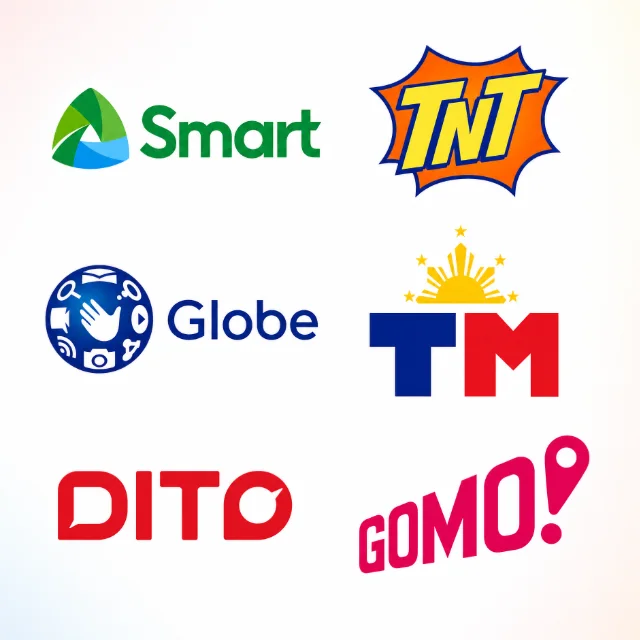
PinoyLoads supports the major Philippine prepaid networks:
| Network | Related PinoyLoads page |
|---|---|
| Smart | Smart load online |
| TNT / Talk 'N Text | TNT load online |
| Globe | Globe load |
| TM / Touch Mobile | TM load |
| DITO | DITO load online |
| GOMO | GOMO load online |
The platform auto-detects the correct carrier when you enter the mobile number. Available amounts and packages depend on the current checkout catalog and operator.
GOMO: Do Not Send Ordinary Globe Load
GOMO runs on Globe infrastructure, but it is not ordinary Globe Prepaid. GOMO is a package-first service that requires GOMO-specific packages — it does not use a standard regular-load wallet like Globe Prepaid or TM.
Do not send ordinary Globe regular load to a GOMO number. It will not work the way you expect. If the recipient uses GOMO, select a GOMO-specific package at checkout.
Regular Load vs. Data Bundle: Which Should You Send?
Choosing between regular load and a data bundle depends on what the recipient needs most.
| Regular Load | Data Bundle / Promo | |
|---|---|---|
| What it is | Raw prepaid mobile credit | Pre-configured package with specific data, call, or text allocations |
| Best for | SIM validity according to carrier rules, OTP access, flexible pay-per-use calls/texts/data, manual promo registration | Messenger, WhatsApp, Viber, Facebook, video calls, online classes, GCash/Maya refresh, app updates |
| SIM validity | Helps maintain SIM validity per carrier rules | Data bundles are for connectivity — not a guaranteed SIM-validity tool |
| Flexibility | Can be used for pay-per-use or to register any available promo | Locked to the specific bundle's inclusions and validity period |
Important: A data bundle does not extend SIM validity, reset load validity, prevent SIM expiry, or replace regular load. If the concern is keeping a Philippine SIM active and reachable for OTPs, regular load is the safer choice.
Keeping a Philippine SIM Active While in Hong Kong
If you maintain a Philippine number for OTPs from GCash, Maya, BDO, BPI, UnionBank, or other apps, do not let it sit at zero balance for too long.
Key facts:
- Under Philippine NTC/DICT/DTI rules, regular prepaid load validity is 365 days regardless of denomination.
- However, carrier dormancy rules can still deactivate a SIM that sits at zero balance for an extended period. Globe may deactivate after around 60 days at zero balance, Smart after roughly 120 to 180 days, and DITO after around 90 days.
- Regular load is the right tool for SIM validity. Data bundles are for connectivity and should not be relied upon to keep a SIM active.
If you need that Philippine number for bank OTPs or account recovery while living in Hong Kong, sending a small regular load periodically is the practical approach. For more detail, see how to keep your Philippine SIM active abroad and what to do when Philippine bank OTPs are not working.
Common Problems When Sending Load from Hong Kong
| Problem | Likely Cause | What to Do |
|---|---|---|
| Load went to the wrong number | Typo in the Philippine mobile number | Double-check the number before confirming; Philippine numbers start with 09 or +63 9 |
| Wrong operator selected | PinoyLoads auto-detects, but the number may be ported | Verify the recipient's current carrier; the platform auto-detects based on the number entered |
| GOMO number got Globe regular load | GOMO requires GOMO-specific packages | Send a GOMO package, not ordinary Globe regular load |
| SIM is inactive, expired, or unregistered | Recipient's SIM may have been deactivated | The recipient may need to visit a carrier store to reactivate |
| Hong Kong card declined | 3D Secure, bank OTP failure, international payment not enabled, or VPN mismatch | Enable international online payments with your bank; disable VPN; try PayPal instead |
| Recipient says they did not receive the load | Delivery delay, phone needs a refresh, or wrong number | Ask the recipient to restart the phone, toggle airplane mode, or check APN settings |
| Remittance arrived but recipient cannot see it | They may need mobile data to refresh the app | Send a small data bundle so they can open GCash, Maya, or their banking app — see how to fix Remitly GCash delays |
Why PinoyLoads for Sending Load from Hong Kong
PinoyLoads is a Philippines-focused specialist that has operated continuously since 2013. It is not a generic global top-up marketplace with country names swapped into page templates.
What makes it practical from Hong Kong:
- Browser checkout — no app download, no account registration, no sign-up
- No KYC for the sender — no identity verification or document uploads
- No GCash, Maya, or Philippine bank account needed on the sender's side
- USD order summary — the checkout shows the destination mobile number, package or amount, and total price in USD before you pay
- Auto-detects the carrier when you enter the Philippine mobile number
- Email and status updates after payment, plus an order status page
- 24/7 support and chat if something goes wrong
Whether you are a Filipino domestic helper sending load to a parent in the province, an OFW keeping your own Philippine SIM alive for OTPs, or a Hong Kong employer helping a household staff member stay connected, the process is the same: enter the number, pick a package, pay, done.
Frequently Asked Questions
You can load a Philippine prepaid number securely using PayPal or card at PinoyLoads.