
Philippines Mobile Recharge from USA with Credit or Debit Card
See Available Load & Data Options
Enter a Philippine mobile number—yours or someone else’s.
We’ll show available top-ups and prices.
Included with every top-up
You can top up a Philippine prepaid phone from the United States using a US-issued credit or debit card — no Philippine bank account, no GCash, no Maya, and no telco app required. Enter the recipient's mobile number, choose a load amount, pay in USD, and the recharge typically reaches the phone within seconds after payment confirmation.
Why a Dedicated USA-to-Philippines Card Recharge Page Exists
If you are in the US and need to send load to a Philippine prepaid number, you have probably already hit a wall. Philippine carrier apps like GlobeOne and Smart App expect a local phone number to register, local identity verification, and often a one-time password sent to a Philippine SIM. GCash and Maya are built around Philippine mobile numbers, local wallet verification, and local payment flows. Even if you manage to log in, these platforms may not be friendly to a US-issued card.
Generic international top-up marketplaces can accept US cards, but they are built for 200 countries, not the Philippine prepaid ecosystem. That means less carrier-specific guidance, limited promo coverage, and checkout flows that do not always surface the exact load type a Philippine recipient actually needs.
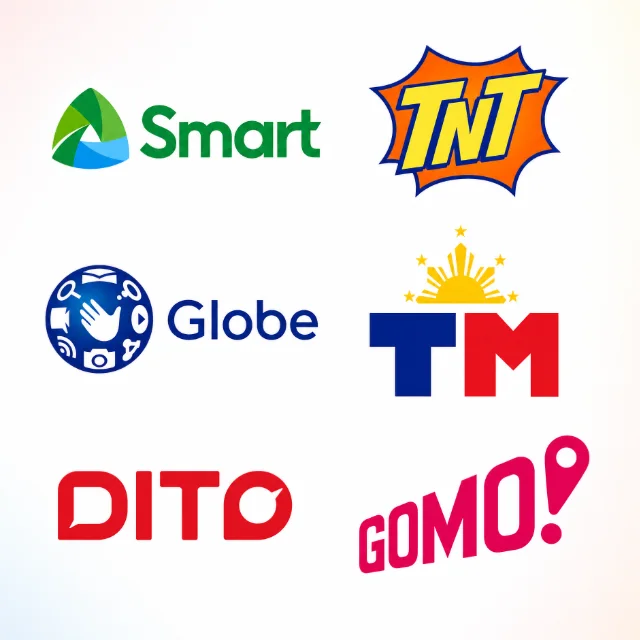
This page sits at the intersection of three things: you are in the United States, you want to pay with a credit or debit card, and you need to recharge any major Philippine prepaid network. It covers Globe, Smart, TNT, TM, and DITO in one place, so you do not have to figure out which operator-specific page applies.
How to Recharge a Philippine Prepaid Number from the USA
The checkout process is browser-based. There is no app to download, no account to create, and no email-verification loop.
- Enter the recipient's Philippine mobile number. PinoyLoads routes the recharge for the entered number, so you do not need to understand every Philippine carrier rule before checkout.
- Enter your email address. This is where receipt, processing, and delivery notifications are sent.
- Choose a load amount or available package. Options vary by carrier — regular load and data promos are listed for each network.
- Review the total USD price. The final amount is displayed in US dollars before you confirm payment. No currency conversion math required on your end.
- Pay with a credit or debit card. Enter your US-issued card details and complete any 3D Secure verification your bank may prompt. PayPal is also available as an alternative where supported.
- Receive confirmation. After payment, PinoyLoads shows a real-time order status page tracking the transaction through processing and delivery. You also get email notifications at each stage.
The entire flow happens in your browser. You do not need a Philippine phone number, a local wallet, or any Philippine financial credentials.
What "Load," "Top Up," and "Recharge" Mean in the Philippines
If you are not Filipino or are new to supporting someone in the Philippines, the terminology can be confusing. Here is what each term means in practice:
- Load — The most common local term for prepaid mobile credit. When someone says "send me load," they mean "add credit to my prepaid phone." Load is purchased in specific amounts (₱50, ₱100, ₱300, etc.) and can be used for calls, texts, mobile data, or registering for carrier promos.
- Top up / Recharge — International synonyms for the same action. "Top up my phone" and "recharge my number" both mean adding prepaid credit.
- Airtime / Phone credit — English-language equivalents used by global platforms. Same concept, different label.
In the Philippines, "load" is the universal term. Whether you are buying Globe load, Smart load, or DITO load, you are adding prepaid credit to a prepaid SIM.
Supported Philippine Prepaid Carriers
PinoyLoads supports all five major Philippine prepaid networks. The platform handles the carrier flow when you enter the mobile number.
| Carrier | Network family | What you can send | Best for |
|---|---|---|---|
| Globe | Globe Telecom | Regular load + available data promos | Globe prepaid users, family phones, data bundles |
| TM (Touch Mobile) | Globe/TM ecosystem | Regular load + available promos | Budget prepaid users on the Globe network |
| Smart | Smart Communications | Regular load + available data promos | Smart prepaid users, flexible load, data packages |
| TNT | Smart/TNT ecosystem | Regular load + available promos | Budget prepaid users on the Smart network |
| DITO | DITO Telecommunity | Regular load + available data promos | DITO prepaid users and growing third-network coverage |
All five carriers support prepaid recharges. PinoyLoads does not process postpaid bill payments.
If you know the carrier, you can also visit the dedicated pages for Globe recharges from the USA or Smart recharges from the USA for more operator-specific detail. For carrier-specific card payment pages, see Globe mobile recharge with credit card or Smart mobile recharge with credit card. For a full overview of credit-card payments across all Philippine networks, see the global card-payment guide.
Regular Load vs. Data Promos — Which One Should You Send?
Philippine prepaid carriers offer two broad categories of products, and choosing the right one depends on what the recipient needs.
- Regular load — Flexible prepaid credit with no fixed bundle attached. The recipient can use it for pay-per-use calls, texts, or data, or manually register for any promo their carrier offers. Regular load is the safest general-purpose option if you are unsure what the recipient needs, because it does not lock them into a specific package.
- Data promos / packages — Pre-configured bundles with set amounts of mobile data, call minutes, and SMS, each with a defined validity period (e.g., 3 days, 7 days, 30 days). These are popular for heavy data users who want a fixed allocation at a lower effective rate.
Important: Data promos do not extend SIM validity, prevent SIM expiry, or reset a dormant SIM. If the recipient's main concern is keeping their SIM active (for example, to continue receiving OTPs from banks, GCash, or Maya), regular load is what they need. Data promo validity is about the bundle itself, not about the SIM's active status.
If you are sending load to someone who just needs to keep their number alive and occasionally make calls or texts, regular load is the right choice. If they have explicitly asked for a specific data bundle (like a Go promo or a Smart Giga package), send that. When in doubt, regular load gives the recipient the most flexibility.
For a broader overview of all Philippine recharge options from the USA, see the complete USA hub page. You can also send mobile recharge to the Philippines from other countries.
Paying with a US Credit or Debit Card
PinoyLoads accepts US-issued credit and debit cards as the primary payment method. The checkout process uses standard card entry — card number, expiration date, CVV — and may trigger 3D Secure verification depending on your bank.
What to expect during card payment:
- 3D Secure prompt — Many US banks now require an additional authentication step for online purchases, especially those with an international element. You may see a pop-up or redirect asking you to enter a one-time code sent via SMS, approve the transaction in your banking app, or answer a security question. This is your bank's fraud-prevention layer, not PinoyLoads.
- Decline on first attempt — If your card is declined, it does not necessarily mean the card is invalid. Common causes include:
- International transactions are disabled on the card by default (common with some US debit cards).
- The bank's fraud filter flagged the transaction as unusual (first-time Philippines-related purchase, VPN usage, or mismatched billing address).
- Daily spending or transaction limits on debit cards.
- CVV or billing address mismatch.
How to fix a declined US card:
- Call your bank or use your banking app to authorize the transaction or enable international payments.
- Retry with a credit card instead of a debit card — credit cards tend to have fewer international restrictions.
- Disable any VPN or proxy during checkout so your location matches your billing address.
- Double-check that the billing address and CVV match what your bank has on file.
PayPal as a fallback:
If your card continues to decline, PayPal is available as an alternative payment option at checkout where supported. PayPal can draw from your linked bank account, PayPal balance, or the card stored in your PayPal account. For more on PayPal-based load purchases, see the PayPal load guide.
Delivery Confirmation and Status Tracking
After payment is processed, PinoyLoads displays a real-time order status page that shows the transaction moving through each stage: payment received, processing with the carrier, and delivery confirmed.
You also receive email notifications at each stage:
- Receipt email — Confirms payment and provides the order details.
- Processing email — Indicates the recharge is being sent to the carrier.
- Delivery email — Confirms the load has been delivered to the recipient's phone.
Delivery is typically fast — often within seconds after payment confirmation. In rare cases, carrier-side delays can push delivery to a few minutes. If the recipient reports they have not received the load after several minutes, check the order status page first. If the status shows "delivered" but the recipient's balance has not updated, have them restart their phone or dial the carrier's balance-check code to refresh.
Common Problems and How to Fix Them
Wrong number entered: Double-check the Philippine mobile number before confirming payment. A Philippine mobile number is usually 11 digits in local format (09XXXXXXXXX) or 10 digits after the +63 country code. Once a recharge is processed and delivered, it cannot be reversed — the load goes to whatever number was submitted.
Recipient says load was not received: If the order status page shows "delivered," the load was sent to the carrier. Ask the recipient to restart their phone and check their balance using the carrier's balance-inquiry code. Carrier-side SMS delays occasionally mean the confirmation text arrives late, even though the credit is already on the phone.
Card declined: See the card-payment section above. Most declines are caused by bank-side fraud filters, international transaction blocks, or 3D Secure issues — not by the card itself being invalid.
Inactive or expired SIM: If the recipient's SIM has been deactivated by the carrier due to prolonged inactivity, the recharge may not apply correctly. Philippine carriers can deactivate prepaid SIMs that have had no load activity for an extended period. The recipient may need to contact their carrier directly to reactivate the number, if possible.
Carrier delay: Occasional carrier-side processing delays are normal and usually resolve within a few minutes. If the order status page stays on "processing" longer than expected, contact PinoyLoads support with the order reference number.
Recharging Philippine Prepaid from the USA — No Local Apps or Wallets Needed
Sending load to a Philippine prepaid number from the United States does not require a local app, a Philippine bank account, or a GCash or Maya wallet. With a US-issued credit or debit card, you can recharge Globe, Smart, TNT, TM, or DITO prepaid numbers directly in your browser. The recipient gets the load, you get email confirmation and a real-time status page, and the total USD price is shown before you pay. If your card has international restrictions, a quick call to your bank or a switch to PayPal usually resolves the issue. PinoyLoads has served Philippine recharge customers since 2013, processing transactions in USD for US-based senders who need a straightforward way to keep their loved ones connected.